Blogs by Chipin

Essential IT Infrastructure for Trading Companies in the UAE: A Complete Guide for 2026

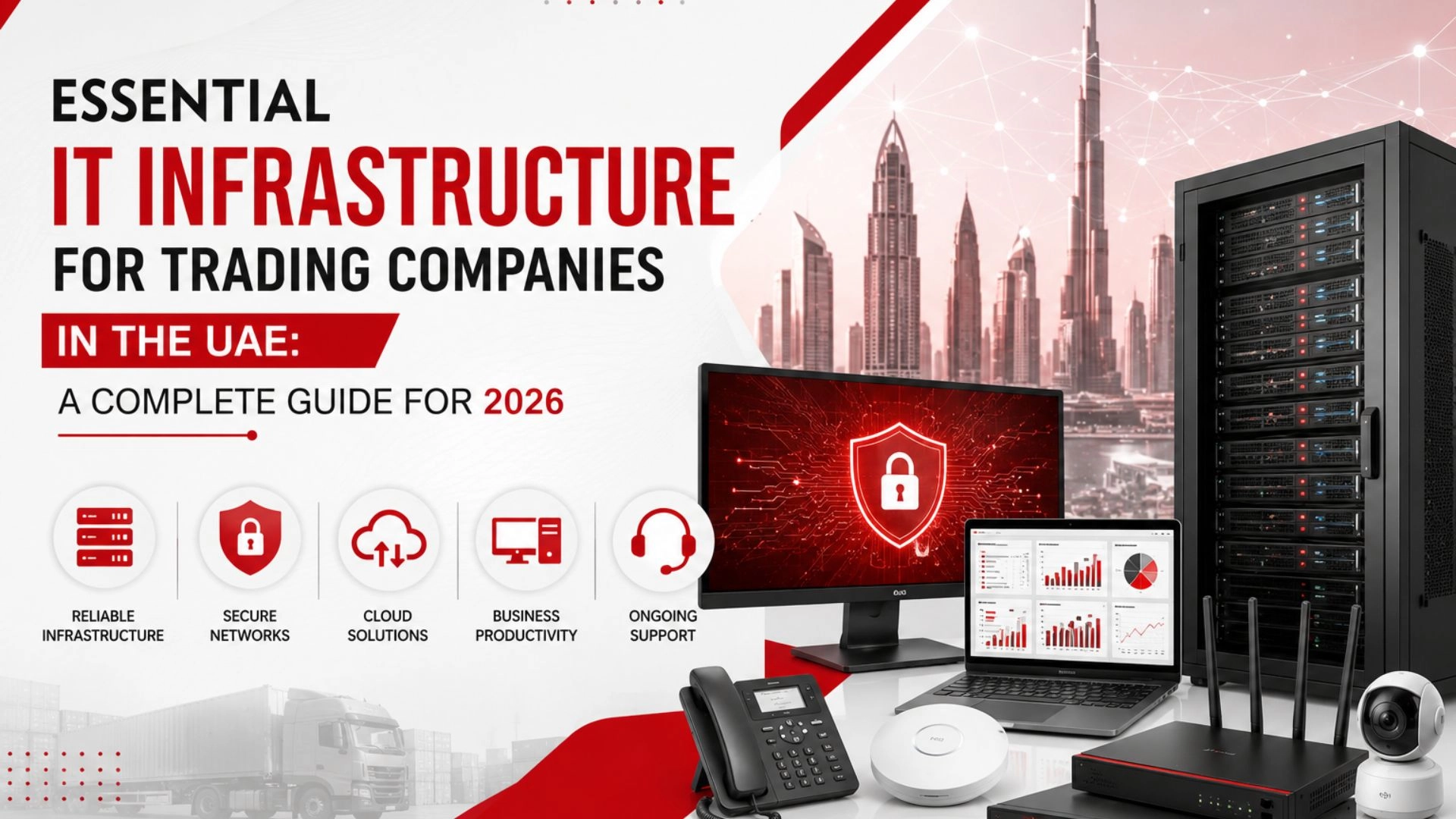
Essential IT Infrastructure for Trading Companies in the UAE A Complete Guide for 2026

Organizations in the UAE need to effectively use technology in order to thrive in the intensely competitive market for trade. Communication, inventory and supplier management, customer support, finance, and logistics — especially when trading across borders — all require a reliable technology infrastructure to operate efficiently and support rapid business growth. 

Whether a business is importing goods and managing local distribution, engaging international suppliers, or operating across many business locations, a fully functioning Essential IT Infrastructure can offer seamless support to daily trade.

This guide covers the Essential IT Infrastructure UAE trading companies should have in 2026, along with practical steps for building a secure, scalable, and efficient technology environment.

Why IT Infrastructure Matters for Trading Companies

Why IT Infrastructure Matters for Trading Companies

Trading companies process a large volume of data on a daily basis. These may include purchase orders, invoices, quotations, inventory data, shipping documents, communications with suppliers, customer data, and data about the company’s finances.

Many employees use ERP systems, accounting software, CRM systems and platforms, and email. Employees also use cloud storage, communication applications, supplier portals, and other applications. A poorly designed IT Infrastructure can slow down the productivity of the employees, even if the problems are minor.

An example of poor IT Infrastructure is inadequate networking, which can slow down business processes and block access to cloud-based applications. Furthermore, poor IT Infrastructure can result in poor cyber security and exposure of sensitive information which can create problems for the business.

A strong Essential IT Infrastructure should help businesses achieve four main goals:

  • Reliable daily operations
  • Better data security
  • Improved employee productivity
  • Easy scalability for future growth

It is important to understand that these goals can be achieved without purchasing expensive technology. IT Infrastructure can be designed in accordance with the requirements of the company including the number of employees, budget, location, and long-term goals. 

1. Business Computers and Employee Workstations

Employee workstations are the foundation of any IT Infrastructure. Different employees can have different workstations, based upon their job functions.

A trading company should avoid assuming that all employees require the same workstations.

For example:

  • Sales teams may need portable laptops for meetings and travel.
  • Finance teams may benefit from larger screens or dual monitors.
  • Procurement employees may require reliable systems for supplier portals, spreadsheets, and ERP applications.
  • Management may need laptops with secure remote access.
  • Warehouse staff may require fixed PCs, barcode scanners, or label printers.

For typical office workloads, business-grade components such as reliable processors, sufficient RAM, SSD storage, and secure operating systems, and business-grade warranties would suffice.

2. A Reliable Business Network

Fast and constant internet access is a critical element in any Essential IT Infrastructure. Communications for trading companies include cloud applications, supplier systems, video conferences, online banking, file transfers, and customer communications. 

A typical office network may include:

  • Business-grade router
  • Managed network switches
  • Wireless access points
  • Firewall
  • Structured cabling
  • Patch panels
  • Network rack
  • UPS protection

The layout and the shape of the office dictate the planning for the network. Installation of a WiFi network without due consideration to coverage, the number of anticipated users, obstructions, meeting rooms, and associated devices may result in poor performance.

Network segmentation can add value. Employee devices, guest devices, cameras, and other connected systems can be segmented according to business and security policies. 

3. Structured Cabling and Office Connectivity

Structured cabling is sometimes overlooked during office setup, but it forms an important physical foundation of Essential IT Infrastructure.

Well-planned cabling supports reliable connectivity between workstations, switches, servers, access points, printers, and other devices. A poorly organized cabling system can make troubleshooting, expansion, and maintenance more difficult.

Trading companies setting up a new office should plan for:

  • Number of employee workstations
  • Network points required
  • Printer locations
  • Wireless access points
  • Meeting rooms
  • Server or network room
  • Future expansion

Cat6 or higher-category cabling may be selected based on current and expected network requirements.

Companies moving to a new office should treat structured cabling as part of the overall IT Infrastructure plan, not an afterthought. 

4. Servers, Storage, and Business Applications

Not all trading companies require on-premises servers. Many businesses use cloud-based accounting, CRM, and business applications as well as email and file storage.

There are many reasons a company may use local servers. It could be for an application that does not lend itself to being cloud-based, file storage, a local database, or an internal system.

When planning server infrastructure, businesses should consider:

  • Application requirements
  • Number of users
  • Processor and memory needs
  • Storage capacity
  • RAID configuration
  • Network connectivity
  • Power protection
  • Backup requirements
  • Future expansion

Storage planning is equally important. Trading businesses can amass years’ worth of contracts, invoices, product records, finances, and even business records.

The Essential IT Infrastructure should allow employees the ability to access data and store it while keeping it secure and available to them.

5. Cloud Services and Microsoft 365

The cloud has completely reshaped IT Infrastructures by allowing employees to access business applications and information from different locations, supporting collaboration between office workers and those working remotely. 

Trading companies may use cloud services for:

  • Business email
  • Document storage
  • Collaboration
  • Video meetings
  • CRM systems
  • Accounting applications
  • ERP platforms
  • Cloud backup

Microsoft 365 can be useful for businesses that need email, document management, and collaboration tools. 

Cloud services do require management. User accounts, permissions, multi factor authentication, device security, and data protection are all critical to an organization’s IT Infrastructure.

6. Cybersecurity for Trading Businesses

Customer records, supplier information, financial data, and confidential documents all have great value and as such need protection. An IT Infrastructure without Cybersecurity is lacking.

Choosing one cybersecurity product is simply inadequate. Security strategies should employ several layers.

Important cybersecurity measures may include:

  • Business firewall
  • Endpoint protection
  • Email security
  • Multi-factor authentication
  • Strong password policies
  • Patch management
  • Access controls
  • Security monitoring
  • Employee awareness
  • Backup and recovery

Phishing and compromised accounts can be disastrous to a business. Employees should know how to spot an email that doesn’t belong and how not to act on unexpected requests for payment, passwords, or information that may be sensitive.

An Essential IT Infrastructure should also ensure that security updates are regularly performed. Older operating systems and applications create avoidable risks.

7. Data Backup and Disaster Recovery

It’s critical that every trading company is prepared to deal with losing access to important data. 

Hardware failures, accidental deletion, ransomware, problems with software, and other incidents may affect a business system. Without proper backups, important data may be lost forever.

An Essential IT Infrastructure should include a backup strategy that is documented.

Depending on business requirements, this may involve:

  • Local backup
  • Network-attached storage
  • External backup devices
  • Cloud backup
  • Hybrid backup solutions

Recovery testing is essential. A backup strategy cannot be assessed based on backups appearing to be successful. It is necessary to ensure that critical files and systems can be restored on a regular basis.

The recovery planning process determines which systems are the most critical and how long it can afford for those systems to be unavailable.

8. UPS and Power Protection

Power disruptions and issues with the electric supply can cause computers, servers, networking devices and storage devices to malfunction.

UPS systems can provide backup power during a power disruption. This power will run the connected devices temporarily. UPS systems can provide safe system shutdown.

An IT Infrastructure plan may include UPS protection for:

  • Servers
  • Network switches
  • Firewalls
  • Routers
  • Storage devices
  • Critical workstations

The capacity of a UPS system should be matched with the devices connected to it. The longer the system runtime, the greater the capacity of the UPS.

Power protection should be prioritized based on the requirements of the business. A small UPS intended for one workstation may not be sufficient to support a server or networking device in a business environment.

9. Business Communication Systems

Trading operations rely heavily on communication. Staff interact constantly with clients, suppliers, logistics service providers, business partners, and colleagues.

An Essential IT Infrastructure should provide reliable business communication through an optimum combination of technologies.

This may include:

  • Business email
  • IP telephony or VoIP
  • Professional headsets
  • Webcams
  • Video conferencing tools
  • Conference room systems
  • Speakerphones
  • Wireless presentation solutions

For businesses with high call volumes, communication quality will influence both customer satisfaction and employee productivity.

An IP telephony / VoIP system can support extensions, advanced call control and routing, remote access, and other communication requirements of the business.

10. IT Monitoring and Managed Support

Technology infrastructure needs constant attention. Infrastructure is never static. There’s a constant need to update software, manage networks, provide support to users, and revise the security protocols.

IT support is thus essential to maintain the Essential IT Infrastructure.

The size and needs of the business determine whether to hire an internal team or outsource IT support to a managed services provider. 

Managed support services may include:

  • Remote IT support
  • On-site technical assistance
  • Network monitoring
  • Server support
  • Patch management
  • Endpoint management
  • Cybersecurity support
  • Backup monitoring
  • Hardware troubleshooting
  • IT maintenance

For small and medium-sized trading companies, outsourcing some IT responsibilities can provide access to technical expertise without maintaining a large internal department.

How to Plan IT Infrastructure for a New Trading Office

How to Plan IT Infrastructure for a New Trading Office

The first step for businesses in preparing for the opening of a new office is the development of IT Infrastructure. This is done prior to making large procurements of equipment.

An important first step is assessing the needs of the business.

Step 1: Calculate Users and Devices

First estimate the number of staff and estimate the number of required devices, e.g., laptops, desktop computers, phones, printers, access points, and other connected devices.

If there will likely be growth in the business, estimate for that as well.

Step 2: Identify Business Applications

List the systems employees use, including:

  • Accounting software
  • ERP
  • CRM
  • Inventory systems
  • Email
  • Cloud storage
  • Supplier portals
  • Communication tools

Understanding these workloads helps determine device, network, storage, and security requirements.

Step 3: Plan the Physical Office

Decide where employees will be located as well as the placement of technology within the office.

Plan the placement of network points, coverage of Wi-Fi, office printers and other equipment, and the placement of network racks, servers, and other equipment before the final design of the office is completed.

Step 4: Build Security into the Design

Security should not be added only after the office becomes operational.

Firewalls, endpoint protection, access controls, MFA, backup, and update management should be included from the beginning.

Step 5: Plan for Growth

A scalable Essential IT Infrastructure can save businesses from expensive changes later.

Consider whether the network, internet connection, storage, cloud environment, and security tools can support additional employees and locations.

Common IT Infrastructure Mistakes Trading Companies Should Avoid

Common IT Infrastructure Mistakes Trading Companies Should Avoid

Buying Technology Without a Plan

A lot of businesses just start buying laptops, routers, and whatever else feels urgent at the moment. The problem is, none of it talks to each other properly later on. You end up with a mismatched setup that’s a headache to manage and expand.

Using Weak Consumer-Grade Networking

Home routers and basic switches might work fine for a house, but an office runs on a completely different level of demand. When ten people are on video calls while pulling files from the cloud, cheap networking gear just can’t keep up. It’s one of those costs businesses regret cutting corners on.

Ignoring Cybersecurity

Security often gets pushed to “we’ll deal with it later” — until something actually goes wrong. By then, the damage is already done and it’s a lot more expensive to fix than to prevent. It’s worth building protection in from day one, not after an incident forces the issue.

Treating Backup as Optional

Trading companies deal with contracts, invoices, and financial records that simply can’t be recreated if lost. Yet backup is often the first thing skipped to save a little money. One hardware crash or ransomware attack is all it takes to realize that was a costly mistake.

Failing to Standardize Equipment

When every employee has a different laptop model or software version, IT support turns into guesswork every single time. Troubleshooting takes longer, replacements get complicated, and nothing feels predictable. Sticking to a few standard setups saves everyone time down the road.

Ignoring Employee Needs

Not every role needs the same machine — a sales rep on the move needs something different from a finance person crunching numbers all day. Handing out identical setups to everyone either wastes money or leaves people struggling with hardware that can’t keep up. It pays to match the equipment to the actual job.

Forgetting Ongoing Maintenance

IT infrastructure isn’t something you set up once and forget about. Updates, monitoring, and regular check-ins are what keep everything running smoothly behind the scenes. Skip that upkeep, and small issues quietly turn into bigger, costlier ones.

Choosing the Right IT Partner in the UAE

Choosing the Right IT Partner in the UAE

There are many different layers to technology setup and service. Office IT setup used to only mean cabling and simple networking and now has many more complex layers such as servers, cybersecurity, cloud services and backup, and support contracts.

Working with an experienced IT partner is the practical approach. 

When choosing an IT service provider, businesses should consider:

  • Experience with business IT environments
  • Ability to provide on-site and remote support
  • Networking and infrastructure expertise
  • Cybersecurity capabilities
  • Cloud and Microsoft 365 support
  • Backup and disaster recovery knowledge
  • Ability to support future growth
  • Clear maintenance and support processes

The goal should be to build an IT Infrastructure that supports business operations instead of creating unnecessary complexity.

A good provider should understand the company’s requirements and recommend practical solutions based on actual workloads, office size, security needs, and growth plans.

Final Thoughts

In addition to products and sales, a successful trading business relies on a seamless network of employee support, communication, data, and operational technology.

The Essential IT Infrastructure for a trading company in the UAE will integrate optimum business devices, networking, structured cabling, cloud services, cybersecurity, storage, backup, power protection, communication systems, and IT support.

There is no one size fits all approach. A small trading office may well run efficiently with cloud applications, business laptops, secure networking, and managed IT support. A larger trading company may require more complex networking, servers, dedicated storage, and additional security.

 The most efficient method is to evaluate current business conditions and predict likely business growth. The right choice is technology that supports the business as a long-term investment — with a focus on reliability, security, and flexibility.

 Trading companies in Dubai and the UAE benefit from investing in Essential IT Infrastructure through increased productivity and the protection of valuable data while reducing disruptions. In addition, there is peace of mind knowing that an infrastructure is in place and can accommodate future business growth.

Build a Reliable IT Infrastructure for Your Trading Business

Planning the right Essential IT Infrastructure can help your trading company improve productivity, strengthen cybersecurity, reduce downtime, and prepare for future growth.

From office IT setup and networking to cybersecurity, cloud solutions, backup, servers, and ongoing IT support, Chipincorp can help businesses build and manage a technology environment based on their operational requirements.

Looking to set up or upgrade your trading company’s IT infrastructure in the UAE? Get in touch with our IT experts to discuss the right solution for your business and build a secure, scalable, and reliable technology foundation.

Frequently Asked Questions

Essential IT infrastructure includes business computers, a reliable network, structured cabling, cybersecurity solutions, cloud services, data storage, backup systems, UPS power protection, communication tools, and ongoing IT support. The exact setup depends on the size and operational requirements of the trading company.

Not necessarily. Many trading companies can use cloud-based applications for email, file storage, accounting, CRM, and collaboration. However, an on-premises server may be suitable when the business has specific local applications, storage requirements, or internal workloads.

Trading companies handle sensitive information such as customer records, supplier details, financial data, contracts, and business documents. Cybersecurity measures such as firewalls, endpoint protection, email security, multi-factor authentication, and regular updates can help protect these systems and data.

A typical trading office may require a business router, firewall, managed switches, wireless access points, structured cabling, patch panels, and UPS protection. The final requirements depend on the office size, number of users, connected devices, and future expansion plans.

Businesses should use a reliable backup strategy that may include local, cloud, or hybrid backups. Important data should be backed up regularly, stored securely, and tested periodically to ensure it can be recovered when needed.

A scalable IT Infrastructure allows businesses to add employees, devices, applications, storage, and office locations more easily. Proper planning helps reduce the need for major infrastructure changes as the company expands.

Outsourcing IT support can be a practical option for businesses that do not have a large internal IT team. A managed IT provider can assist with monitoring, maintenance, cybersecurity, backup, network support, troubleshooting, and other ongoing IT requirements.