
Chipin IT Blog UAE
IT Asset Management in UAE: A Practical Guide for Businesses

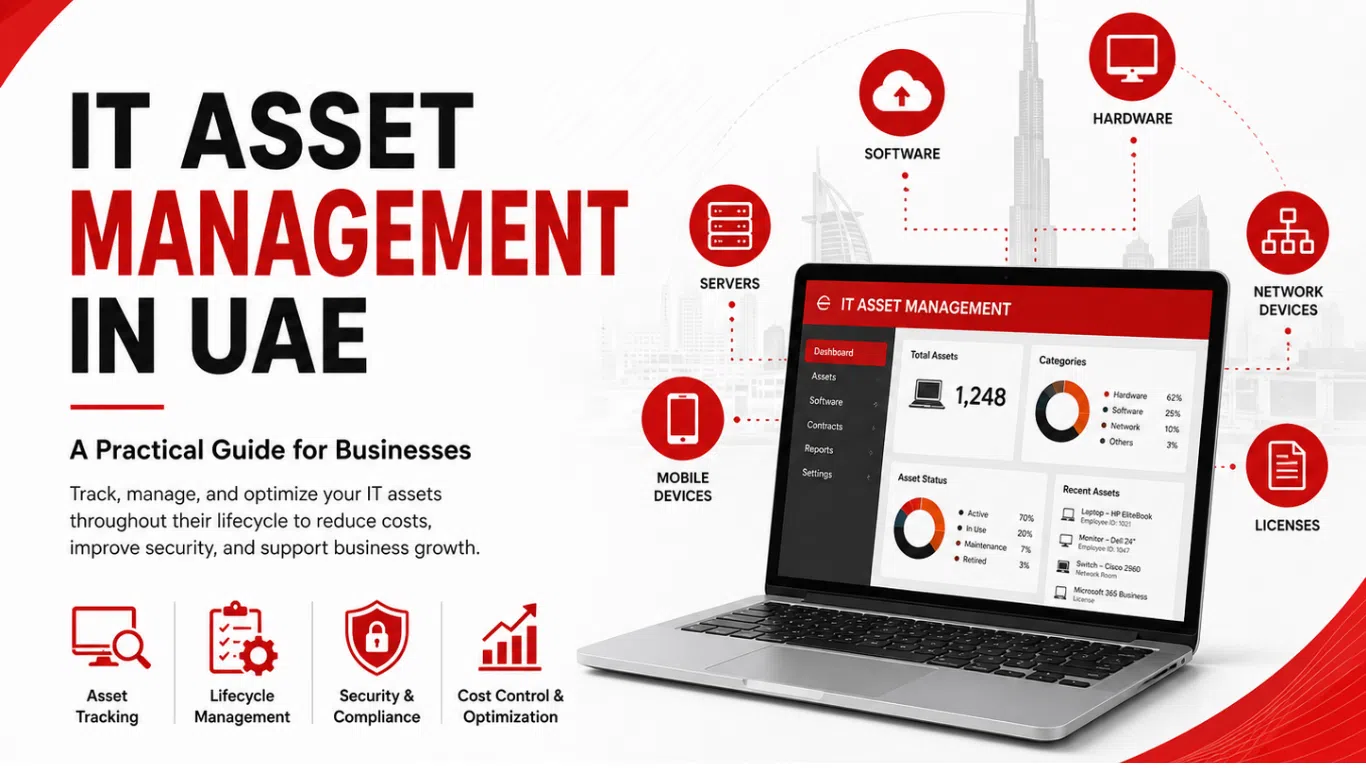
Table of Contents
ToggleTechnology is at the centre of modern business operations. From employee laptops and servers to software licenses, cloud services, networking equipment, and mobile devices, businesses depend on a wide range of IT assets every day. However, as a company grows, keeping track of all these assets can become increasingly difficult.
A laptop may be assigned to an employee but not properly recorded. Software licenses may remain active even when they are no longer being used. Older devices may continue to operate without a clear replacement plan. Over time, these small gaps can create unnecessary costs, security concerns, and IT management challenges.
This is why IT Asset Management in UAE is becoming an important part of effective IT operations. A structured approach helps businesses understand what technology they own, where it is being used, who is responsible for it, and how each asset should be managed throughout its lifecycle.
For UAE businesses, IT asset management is not simply about maintaining an inventory. It is about creating better visibility across the technology environment and making informed decisions that support daily operations, security, and future growth.
What Is IT Asset Management?
IT asset management is the process of identifying, recording, tracking, maintaining, and managing an organisation’s technology assets throughout their useful lifecycle.
These assets can include laptops, desktops, servers, networking equipment, printers, mobile devices, software licenses, and cloud-based services. A good IT asset management process helps businesses maintain accurate information about these resources rather than relying on outdated spreadsheets or incomplete records.
The purpose is to create a clear picture of the company’s IT environment. When an organisation knows what assets it has and how they are being used, it becomes easier to provide support, plan upgrades, manage costs, and reduce unnecessary risks.
IT Asset Management vs IT Asset Tracking
IT asset tracking is an important part of the process, but it is not the same as complete IT asset management.
Asset tracking mainly focuses on identifying an asset’s location, user, and current status. IT asset lifecycle management goes further by considering what happens from the moment an asset is purchased until it is repaired, replaced, retired, or securely disposed of.
For example, tracking can show that a laptop belongs to an employee. Asset management can also include information about when it was purchased, its warranty status, installed software, support history, maintenance requirements, and when it may need to be replaced.
Why Is IT Asset Management Important for UAE Businesses?
As businesses grow, their IT environments usually become more complex. New employees require new devices, software subscriptions increase, and technology may be spread across different departments or locations.
Without clear visibility, businesses may struggle to answer simple but important questions. How many active devices does the company have? Which software licenses are being used? Which systems are outdated? Which assets are no longer assigned to employees?
IT Asset Management in UAE helps businesses organise this information and use it to make better decisions.
Accurate asset records can help avoid unnecessary technology purchases and support more effective budgeting. They can also make it easier to identify devices that require maintenance or replacement before they begin affecting employee productivity.
How IT Asset Management Supports IT Security
A business cannot effectively manage or protect technology that it does not know about.
Unmanaged devices, outdated systems, unused software, and forgotten assets can create potential security concerns. For this reason, IT asset management and cybersecurity should not be treated as completely separate areas of IT.
When businesses maintain better visibility of their IT assets, they can more easily identify systems that require updates, review software installed on company devices, and understand which assets are connected to the wider IT environment.
This visibility can support a more proactive approach to IT operations. Instead of discovering an old or unsupported device after a problem occurs, businesses have a better opportunity to review and manage their technology environment before it creates disruption.
Understanding the IT Asset Lifecycle
Effective IT asset management for businesses should cover more than the current location of a device. Every IT asset goes through a lifecycle.
The process begins with planning and procurement. When a business purchases new technology, important information should be recorded, including the asset type, specifications, purchase date, warranty details, and assigned user or department.
During the asset’s working life, it may require technical support, maintenance, software updates, security monitoring, or repairs. Over time, the organisation may need to decide whether the asset should be upgraded or replaced.
Finally, when a device reaches the end of its useful life, it should be removed from active use and handled appropriately. This is particularly important when equipment may contain company or customer data.
A structured lifecycle approach helps businesses make better use of their technology investment while reducing the risk of forgotten or unmanaged assets.
Common IT Asset Management Challenges
Many organisations do not have an IT asset problem because they lack technology. The challenge is often a lack of visibility.
As employees join and leave, devices may be reassigned or stored without records being updated. Software may be purchased by different teams without central visibility. Older hardware can remain in use simply because there is no clear process for reviewing its condition or replacement requirements.
Remote and hybrid working environments can create additional challenges because company devices may be used outside the main office. Businesses may also rely on a combination of physical infrastructure, cloud services, and third-party software.
This makes a structured IT asset management Dubai strategy valuable for businesses that want better control over their technology environment.
How IT Asset Management Supports Better Business Decisions
IT asset management can help businesses make decisions based on actual information rather than assumptions.
For example, if a company is planning to hire new employees, accurate asset information can help the IT team understand what hardware and software may be required. If several laptops are approaching the end of their useful life, replacement costs can be planned in advance.
The same approach can help identify unused software or technology that is no longer required. This can support better cost management and reduce unnecessary spending.
Asset information can also help businesses understand their wider IT infrastructure. When IT teams know which devices, systems, and services are being used, it becomes easier to plan for growth and make technology decisions that support business goals.
How Managed IT Services Can Support Asset Management
Managing IT assets can become time-consuming, especially for growing businesses. Internal teams may already be responsible for technical support, cybersecurity, network management, software issues, and employee requests.
This is where Managed IT Services UAE can provide valuable support.
A managed IT approach can help businesses bring different areas of their IT environment together. Asset visibility can work alongside IT support, infrastructure management, network monitoring, cybersecurity, data protection, and technology planning.
The goal is not simply to maintain a list of devices. A strong IT management approach helps businesses understand how their technology is performing and whether it continues to support their operational requirements.
How Chipin IT Solution Can Support UAE Businesses
IT asset management works best when it is connected to the wider IT environment. Knowing that a device exists is useful, but businesses also need to consider whether it is properly supported, secure, updated, and suitable for current requirements.
Chipin IT Solution can support businesses through a broader range of IT services, including managed IT support, IT infrastructure management, network support, cybersecurity solutions, cloud services, and data backup. These services can help businesses take a more organised approach to managing their technology environment.
For businesses, the right approach depends on their existing infrastructure, number of users and devices, security requirements, and future growth plans. A reliable IT partner can help businesses review these needs and create a more practical technology strategy.
A Practical Approach to IT Asset Management
Businesses do not need to make IT asset management unnecessarily complicated. The first step is to build an accurate understanding of the existing technology environment.
This includes recording important hardware, software, users, and relevant asset information. The information should then be reviewed regularly, particularly when employees join or leave, devices are replaced, or new software is introduced.
Businesses should also connect asset management with other IT processes. Asset information can support IT support teams when resolving technical issues, cybersecurity teams when reviewing the technology environment, and management when planning future technology investments.
Regular reviews are important because IT environments change continuously. A record created once and never updated will eventually become less useful. Maintaining accurate information is an ongoing process.
Final Thoughts
IT Asset Management in UAE is an important part of maintaining an organized, secure, and efficient technology environment. It helps businesses understand what IT resources they have, how those resources are being used, and what actions may be needed throughout their lifecycle.
The value of IT asset management goes beyond inventory. It can support better IT planning, improved visibility, cost control, security awareness, and long-term business growth.
As organisations continue to depend on more devices, software, cloud services, and digital infrastructure, having a clear view of IT assets becomes increasingly important. By combining effective asset management with reliable IT support, cybersecurity, infrastructure management, and proactive technology planning, businesses can create a stronger foundation for their operations.
For UAE businesses looking to manage technology more effectively, working with an experienced IT partners such as Chipin IT Solution can help connect asset visibility with the wider systems and services that support day-to-day business operations.
Frequently Asked Questions
IT asset management is the process of tracking and managing an organisation's technology assets throughout their lifecycle. This can include laptops, servers, networking equipment, software, and cloud services.
IT asset tracking focuses mainly on where an asset is located and who is using it. IT asset management covers the broader lifecycle, including procurement, assignment, maintenance, support, replacement, and retirement.
It helps businesses improve visibility over their technology, support better IT planning, identify outdated assets, manage costs, and maintain a more organised IT environment.
A clear asset inventory can help businesses identify the devices and systems within their IT environment. This supports better security management by making it easier to review systems that may require updates, support, or additional security attention.
Yes. Managed IT services can support a broader IT management strategy that includes device support, infrastructure management, network management, cybersecurity, technology planning, and other operational IT requirements.