Blogs by Chipin

Why Every Business Needs Data Backup Solutions

Why Every Business Needs Data Backup Solutions

Monday morning. You walk into the office, coffee in hand, and your customer database is simply gone. Financial records won’t open. Half the team can’t log into anything. Doesn’t matter if it’s a cyberattack, someone hit delete by mistake, a hard drive died, or a fire took out the server room — the result is the same. Everything stops. That’s exactly why data backup solutions aren’t a “nice to have” anymore. They’re basic survival gear for any business, big or small.

Businesses run on data now. Customer info, payments, contracts, remote teams collaborating over cloud tools — all of it. Lose that and you’re not just dealing with a tech problem. You’re looking at lost money, angry customers, legal headaches, and a reputation hit that takes way longer to fix than the data itself would. A proper backup strategy means when something goes wrong (and something always eventually does), the business keeps moving.

Startup, SME, big enterprise — doesn’t really matter. Getting backup right is one of those decisions that pays for itself the first time you actually need it. So let’s get into why it matters, what actually threatens your data day to day, and how cloud tech is changing things for businesses trying to stay ahead of it.

What Are Data Backup Solutions?

Put simply — data backup solutions are the tools and services that make secure copies of your business data and park them somewhere separate from the original. So if a file gets deleted, corrupted, locked up by ransomware, or just disappears, there’s a copy sitting safe somewhere you can pull from.

Old school way was copying stuff onto an external drive and hoping someone actually remembered to do it. Modern platforms don’t leave it to memory. Backups run on a schedule, get encrypted along the way, and land on local servers, in the cloud, or both. So there’s always a current copy ready the second you need it.

Modern backup solutions typically protect:

  • Customer databases
  • Financial records
  • Business documents
  • Microsoft 365 emails
  • OneDrive & SharePoint files
  • Virtual machines
  • Physical servers
  • Employee laptops & desktops
  • SQL databases
  • Business applications

A real backup system isn’t just saving files somewhere random. It’s protecting the whole business from downtime that actually costs real money.

Why Business Data Is More Valuable Than Ever

Why Business Data Is More Valuable Than Ever

Data quietly become the backbone of almost everything a business does. Every sale, invoice, customer email, employee record, and project file plays a part in keeping an organization running smoothly. Take it away for even a day and suddenly the simplest daily tasks feel impossible.

More cloud tools, more remote teams, more digital workflows — that means more critical data being generated every single day, and honestly, more exposure too. More chances for an attack, a slip-up, or a system failure to wipe out hundreds, even thousands, of files in minutes.

Protecting data isn’t just “an IT thing” anymore. It’s a business call. Reliable backups mean that no matter what happens, your organization can recover quickly and keep serving customers without major interruptions. Get data backup right, and a bad day doesn’t spiral into a bad month.

Common Causes of Business Data Loss

Many people assume hackers are the biggest threat to business data, but the reality is quite different. Data loss can occur in several ways, many of which are completely unexpected.

1. Human Error

People make mistakes those who have been doing their jobs for a long time. They might delete files by accident or they might save over a document. These kinds of things happen a lot. If you do not have a good backup you might not be able to get your files back.

2. Hardware Failure

Things like drives and servers will stop working after a while. This can happen because they are old or because something unexpected goes wrong. When this happens it usually happens without warning. So the only way to make sure you do not lose your files forever is to have a backup that’s up to date.

3. Ransomware Attacks

Ransomware is a problem for businesses. It locks up your files and asks for money to unlock them.. If you have a good backup you can just restore your files and you do not have to pay the people who are attacking you.

4. Software Corruption

Sometimes software updates do not work right. There are bugs in the programs you use. Your computer might even. There could be problems with your database. If you have a backup you can go back to a version of your files that’s healthy and you can get back to work faster.

5. Natural Disasters

Things, like floods, fires and earthquakes can hurt the machines that store your files. If you keep a backup of your files in a place like the cloud you can still get to them even if something bad happens to your office. This way your business files will be safe. You can keep working.

Quick Overview: Causes of Data Loss

Cause

Human Error

Hardware Failure

Ransomware

Software Failure

Natural Disaster

Business Impact

Deleted or modified files

Server crashes

Encrypted files

Corrupted databases

Complete data loss

How Backup Helps

Restores previous versions

Recovers lost data

Restores clean backups

Rollback to a healthy copy

Off-site recovery

Top Benefits of Data Backup Solutions

Top Benefits of Data Backup Solutions

A good backup does way more than recover the odd lost file. It protects your business, reduces risk, and keeps operations running even when things go sideways.

Protects Critical Business Information

Customer records, invoices, contracts, HR files, project data. Every business depends on this kind of information to function day to day, and it represents years of work and hard-earned business knowledge. Losing it can seriously disrupt daily operations. Backup makes sure secure copies of these files exist so they can be restored whenever needed, no matter what happens.

Reduces Downtime

Every hour your systems are down is an hour your team can’t work and customers start getting impatient. Downtime hits productivity and revenue directly, and employees simply can’t work efficiently when key systems are unavailable. Quick recovery from backup keeps that window as short as possible and helps customers stay confident in your business.

Improves Business Continuity

Disruptions happen, that’s just how it goes. What matters is whether the business keeps functioning while the fix happens in the background. With secure backups in place, organizations can keep operating while recovering critical systems, which helps maintain productivity and keeps customers satisfied through the disruption.

Strengthens Cybersecurity

Backups sit alongside firewalls and antivirus as a safety net. Ransomware slips past everything else sometimes — but you’re not stuck paying anyone if you can just restore clean copies of your data instead. Pairing this with CyberSecurity Services adds another solid layer of protection on top.

Saves Money

Recovering data without a backup usually means expensive specialists, new hardware, and lost operational hours while everything gets sorted out. Automated backups cost a fraction of dealing with the aftermath of permanent data loss, making them one of the more cost-effective investments a business can make.

Cloud Backup vs Traditional Backup

Traditional Backup

Manual process

Limited storage

Risk of theft or damage

Hardware maintenance

Slower recovery

Difficult remote access

Cloud Backup

Fully automated

Scalable cloud storage

Secure off-site storage

Minimal maintenance

Faster recovery

Access from anywhere

Cloud backup provides greater flexibility, stronger security, and easier management, making it the preferred choice for modern businesses.

The 3-2-1 Backup Rule: A Simple Strategy That Works

If there’s one rule IT people swear by, it’s the 3-2-1 backup rule. Easy to follow, covers almost every kind of data loss you can imagine.

  • Keep 3 copies of your important data
  • Store the copies on 2 different storage media, such as a local server and cloud storage.
  • Keep 1 copy off-site, away from your main location, in case of fire, theft, or damage.

In practice, that means your primary data sits on the office server, a second copy lives on a NAS device, and a third encrypted copy sits in the cloud. Even if two of those fail together, you’ve still got a way back.

Pro Tip: Pair the 3-2-1 rule with Cloud Backup Solutions so the off-site copy updates itself automatically. One less thing to think about.

Why Microsoft 365 Data Also Needs Backup

Why Microsoft 365 Data Also Needs Backup

Common mistake — people assume Microsoft backs up everything, forever, on its own. Microsoft’s infrastructure is solid, sure, but that’s not the same thing as a dedicated backup.

Someone deletes an important email by accident, or ransomware hits your Microsoft 365 setup — getting that data back gets tricky once the retention window’s closed.

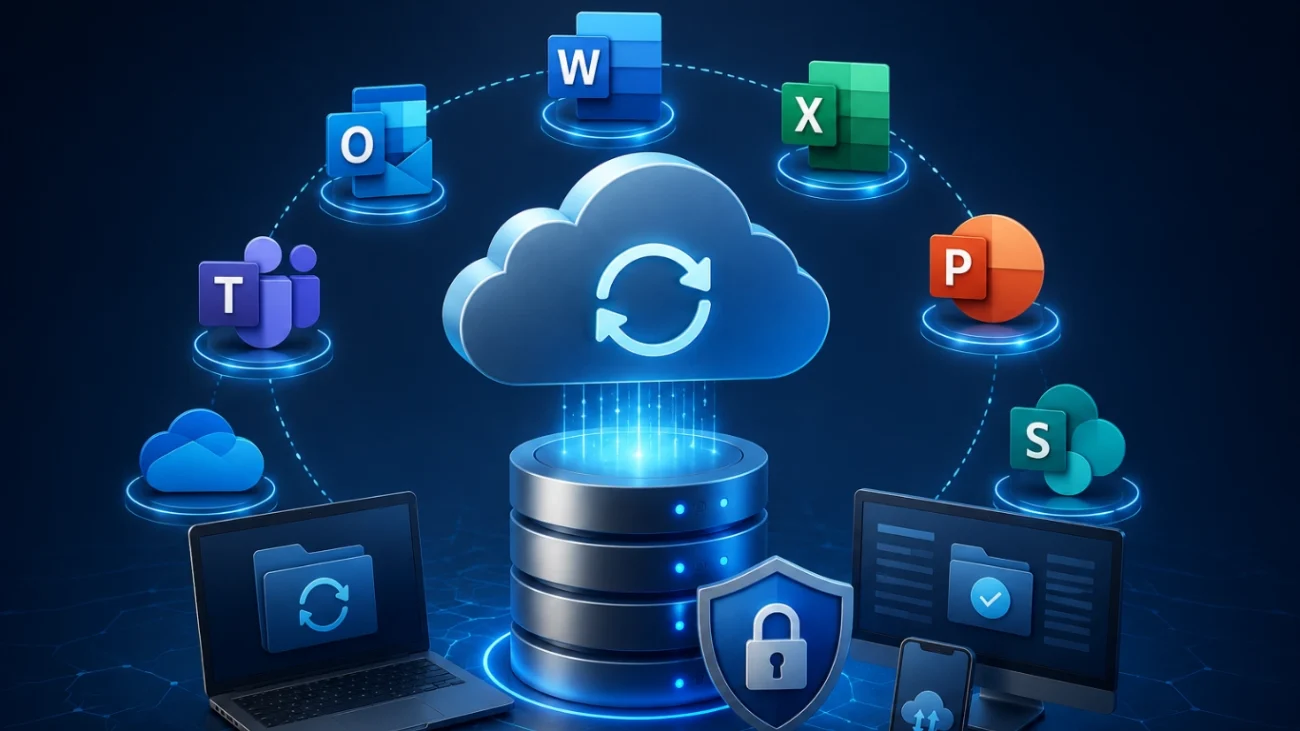
A proper Microsoft 365 Backup covers:

  • Outlook emails
  • OneDrive files
  • SharePoint documents
  • Microsoft Teams data
  • Contacts & Calendars

By implementing regular backups, businesses gain greater control over their data and can restore information whenever required.

Best Practices for Protecting Business Data

Having backups is step one. Making sure they actually work when it counts — that’s the part people skip.

Automate Your Backups

Manual ones get forgotten almost every time. Automation just removes that risk.

Encrypt Sensitive Data

Moving or sitting still, business data should stay encrypted so no one unauthorized can touch it.

Test Recovery Regularly

A backup you’ve never tested is one you can’t really trust yet. Run recovery tests on a schedule, not just when something’s already broken.

Monitor Backup Reports

Failures happen quietly, whether it’s a storage glitch, a network hiccup, or a software bug. Regular checks catch this before it turns into an actual crisis.

Protect Remote Employees

Hybrid work is normal now, so laptops and cloud apps used by remote staff need to be part of the plan too, not an afterthought.

Signs Your Business Needs Better Backup Solutions

If you recognize any of the situations below, it’s time to upgrade your backup strategy.

  • Backups are done manually
  • Data only lives on office computers
  • Remote employees work with zero backup protection
  • Microsoft 365 data isn't backed up
  • You've never actually tested a recovery
  • Your company's already lost data once before
  • There's no disaster recovery plan at all

The longer these gaps sit there, the more expensive the eventual fix gets.

Why Businesses in Dubai & UAE Are Choosing Cloud Backup

Across the UAE, businesses are moving fast toward cloud tech — and for good reason. More secure, scales easily, makes IT operations smoother overall.

Companies going for cloud backup in Dubai are seeing it firsthand: automatic backups, secure off-site storage, quicker disaster recovery. Same story with cloud backup in Abu Dhabi and cloud backup in Sharjah — more organizations protecting their growing digital footprint while supporting remote teams.

Standout advantages:

  • Lower infrastructure costs
  • Automatic backup scheduling
  • Encrypted cloud storage
  • Fast disaster recovery
  • Easy scalability
  • Secure remote access
  • Improved business continuity

Startup or enterprise, cloud backup in UAE gives a flexible, cost-effective way to stay protected from the unexpected.

How to Choose the Right Data Backup Solution

How to Choose the Right Data Backup Solution

Not all backup solutions are built the same. Worth checking a few things before picking one.

Feature

Automated Backups

End-to-End Encryption

Cloud Storage

Fast Recovery

Version History

Centralized Dashboard

Microsoft 365 Support

Server Backup

Why It Matters

Eliminates manual work

Keeps business data secure

Protects data off-site

Reduces downtime

Restores previous file versions

Simplifies backup management

Protects emails & cloud files

Safeguards business servers


Get these right, and you’re covered for the everyday mishaps and the bigger disasters both.

Why Choose Chipincorp for Data Backup Solutions?

At Chipincorp, we know no two businesses need the exact same thing when it comes to data protection. So we build backup and recovery around what your organization actually needs — not some one-size-fits-all package.

Our team works with businesses across the UAE to protect critical data — secure cloud backup, automated recovery, Microsoft 365 protection, server backup, hands-on IT support whenever it’s needed.

What you get with Chipincorp:

  • Enterprise-grade backup solutions
  • Secure cloud infrastructure
  • Fast disaster recovery
  • Microsoft 365 Backup
  • Server and endpoint protection
  • 24/7 technical support
  • Scalable solutions for growing businesses

You can also strengthen your IT environment by combining backup solutions with our Managed IT Services in Dubai, Windows Server Support, and Cyber Security Services for complete business protection.

Conclusion

Business data is one of your organization’s most valuable assets, and protecting it should always be a top priority. Whether data loss occurs because of hardware failure, accidental deletion, cyberattacks, or natural disasters, the consequences can be costly and disruptive.

Investing in reliable data backup solutions ensures your business can recover quickly, minimize downtime, and continue serving customers with confidence. By adopting automated backups, secure cloud storage, and a well-planned disaster recovery strategy, organizations can significantly reduce risk while improving business continuity.

If you’re looking for a trusted partner to protect your business data, Chipincorp offers enterprise-grade backup and recovery solutions tailored to businesses across Dubai and the UAE. Explore our Acronis Cloud Backup solutions and discover how we can help keep your critical business information safe.

Daily automated backups work for most. Critical systems might need hourly or real-time backups, depending on how the business runs.

Yes. Professional cloud backup providers use advanced encryption, secure data centers, and multiple security layers to protect sensitive information.

Absolutely. Secure backups allow businesses to restore clean copies of their files without paying ransomware demands.

Backup creates copies of your data, while disaster recovery focuses on restoring complete business operations after an incident.

Yes. Small businesses are often targeted by cybercriminals and usually have fewer recovery resources. Reliable backups are essential regardless of business size.