Blogs by Chipin

What Is an IT Helpdesk? A Complete Guide for Businesses in UAE

IT Helpdesk

Imagine starting your workday only to find that your email is not working, your internet connection is down, or an important business application won’t open. Even small IT issues like these can slow down your team, delay important tasks, and affect overall business productivity. 

This is why having a reliable IT helpdesk is so important. An IT helpdesk provides a central place where employees can report technical issues, request IT support, and track the progress of their support tickets. Instead of spending valuable time trying to fix problems on their own, employees can quickly get assistance from experienced IT professionals. 

At Chipin Corp, we provide reliable IT Helpdesk Services for businesses across the UAE. We also offer a range of free IT tools that help businesses improve security, plan IT resources, manage networks, and make smarter technology decisions. 

Whether you run a small business or a large enterprise, understanding how an IT helpdesk works can help reduce downtime, improve productivity, and keep your business operations running smoothly. 

What Is an IT Helpdesk?

IT Helpdesk

An IT helpdesk is a support system that helps businesses manage and resolve technical issues quickly and efficiently. It acts as a single point of contact where employees can report IT problems, ask for technical assistance, or request IT services. Instead of contacting different team members separately, users can submit a support ticket and receive updates until the issue is resolved. 

An IT helpdesk is designed to improve communication between users and the IT team. Every request is recorded as a ticket, making it easier to assign tasks, track progress, and ensure that no issue is overlooked. This organized approach helps businesses save time, reduce delays, and provide better support to employees. 

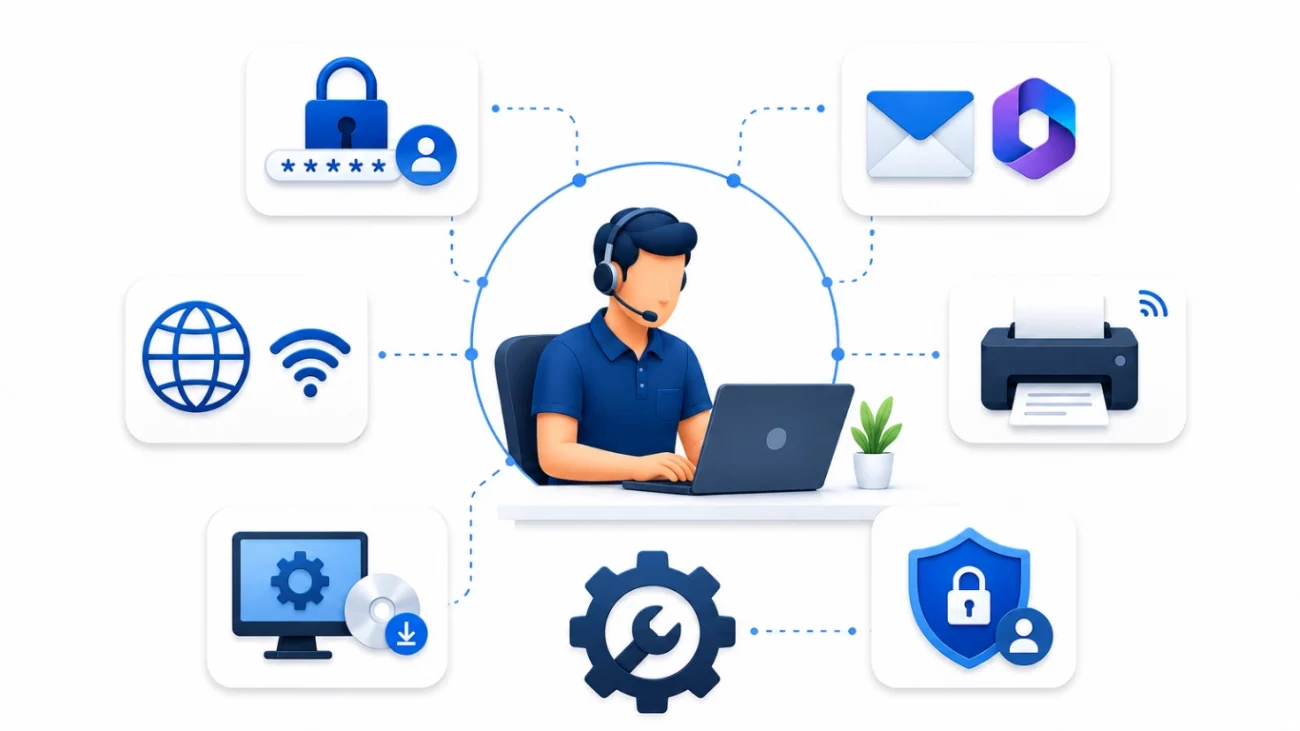
Businesses of all sizes can benefit from an IT helpdesk. Whether it is a startup, a growing company, or a large enterprise, a structured support system helps keep daily operations running smoothly. Common requests include password resets, email issues, software installation, printer problems, network connectivity, and Microsoft 365 support. 

Although the terms IT Helpdesk and IT Support are often used together, they are slightly different. An IT helpdesk focuses on handling day-to-day technical requests and managing support tickets, while IT support covers a broader range of services such as infrastructure management, cybersecurity, cloud solutions, and long-term IT planning. 

A well-managed IT helpdesk not only solves technical problems faster but also improves employee productivity by reducing downtime and ensuring users receive the assistance they need without unnecessary delays. 

Benefits of an IT Helpdesk

An IT helpdesk does more than solve technical problems. It helps businesses work more efficiently by providing fast, organized, and reliable IT support. When employees know where to report issues and receive timely assistance, they can focus on their work without unnecessary interruptions. 

  • Faster Issue Resolution = One of the biggest advantages of an IT helpdesk is faster problem resolution. Every issue is logged as a support ticket and assigned to the right IT technician. This organized process reduces delays and helps resolve technical problems quickly. 
  • Improved Employee Productivity = Employees depend on computers, email, business applications, and the internet every day. When technical issues are resolved quickly, employees spend less time waiting for support and more time completing their tasks, leading to higher productivity. 
  • Reduced Business Downtime = Unexpected IT issues can slow down or even stop business operations. An IT helpdesk helps identify, manage, and resolve problems before they become major disruptions. This minimizes downtime and keeps business operations running smoothly. 
  • Better Communication and Tracking = An IT helpdesk provides a clear way for users and IT teams to communicate. Employees can check the status of their support requests, while IT teams can prioritize tasks and keep users informed throughout the resolution process. 
  • Better IT Management = With every request recorded in one system, businesses can monitor recurring issues, identify trends, and improve their IT services. Reports and ticket history also help IT teams make better decisions and plan future improvements. 
  • Cost Savings = A well-managed IT helpdesk helps prevent repeated issues, reduces unnecessary downtime, and improves resource management. By solving problems efficiently, businesses can lower support costs and make better use of their IT resources. 

Whether your business has a small IT team or a dedicated support department, an IT helpdesk creates a structured process that improves service quality and ensures employees receive the support they need. 

How an IT Helpdesk Works

An IT helpdesk follows a structured process to ensure every support request is handled efficiently. From reporting an issue to resolving it, each step is tracked to provide timely assistance and improve communication between users and the IT team. 

Step 1: Report the Issue 
When an employee experiences a technical problem, they can report it through the IT helpdesk by creating a support ticket. The request usually includes details about the issue, such as the problem, device, or application affected. 

Step 2: Create a Support Ticket 
Once the request is submitted, the helpdesk system automatically generates a support ticket. Each ticket receives a unique reference number, making it easy for both the user and the IT team to track its progress. 

Step 3: Assign the Ticket 
The helpdesk team reviews the request and assigns it to the most suitable IT engineer or support technician based on the type and priority of the issue. 

Step 4: Diagnose and Resolve the Problem 
The assigned technician investigates the issue and works to resolve it. Depending on the problem, support may be provided remotely or on-site. If additional information is required, the technician will communicate directly with the user. 

Step 5: Verify the Solution 
After the issue is resolved, the IT team confirms that everything is working correctly. The user may also be asked to verify that the solution has fixed the problem. 

Step 6: Close the Ticket 
Once the issue is successfully resolved and confirmed, the support ticket is closed. The ticket history remains available for future reference, reporting, and continuous service improvement. 

A structured helpdesk process ensures that every request is recorded, monitored, and resolved efficiently, helping businesses maintain smooth and reliable IT operations.

Key Features of an IT Helpdesk

  • Ticket ManagementEvery support request is recorded as a ticket with a unique ID. This helps the IT team organize, prioritize, and track issues from the time they are reported until they are resolved. It also ensures that no request is missed. 
  • Remote SupportMany technical issues can be resolved without visiting the office. Remote support allows IT engineers to securely access devices, troubleshoot problems, install software, and provide assistance quickly, reducing response time and minimizing disruptions. 
  • Asset ManagementAn IT helpdesk helps businesses maintain a record of their IT assets, including computers, laptops, servers, printers, and networking equipment. This makes it easier to monitor device information, warranties, and maintenance schedules. 
  • SLA ManagementService Level Agreements (SLAs) help define response and resolution times for different types of support requests. An IT helpdesk tracks these timelines to ensure issues are handled within the agreed service standards and critical problems receive immediate attention. 
  • Reporting and AnalyticsBuilt-in reports provide valuable insights into support performance. Businesses can review ticket volumes, response times, recurring issues, and team performance, helping them make informed decisions and improve IT service quality. 
  • Workflow Automation  – Automation reduces manual work by assigning tickets, sending notifications, updating ticket statuses, and reminding technicians about pending tasks. This helps the IT team work more efficiently while providing a better support experience for users. 

These features help businesses deliver faster IT support, improve service quality, and create a more organized approach to managing everyday technical issues. 

Common IT Issues an IT Helpdesk Can Resolve

IT Issues an IT Helpdesk Can Resolve

Every business experiences technical issues from time to time. While some problems are simple, others can interrupt daily operations if they are not resolved quickly. An IT helpdesk provides a central place to report these issues and ensures they are handled by the right IT professionals. 

  • Password Reset and Login IssuesForgotten passwords and account lockouts are among the most common IT requests. An IT helpdesk can quickly reset passwords, unlock user accounts, and restore access to business applications without unnecessary delays. 
  • Email and Microsoft 365 ProblemsEmail is essential for business communication. Issues such as email not syncing, login failures, mailbox errors, or Microsoft 365 application problems can affect productivity. An IT helpdesk helps resolve these issues and ensures employees can continue working without disruption. 
  • Internet and Network Connectivity  – Slow internet, Wi-Fi connection failures, VPN issues, and network outages can impact the entire office. The IT team can identify the cause, troubleshoot the network, and restore a stable connection as quickly as possible. 
  • Printer and Hardware IssuesPrinter errors, scanner problems, computer performance issues, and hardware failures are common in every workplace. An IT helpdesk provides timely support to diagnose the problem, recommend solutions, and minimize downtime. 
  • Software Installation and UpdatesInstalling new software, updating existing applications, or resolving software compatibility issues can be time-consuming for employees. The IT helpdesk ensures software is installed correctly, updated regularly, and configured to meet business requirements. 
  • Security and Access RequestsManaging user permissions and protecting business data are important parts of IT support. An IT helpdesk assists with access requests, security settings, and basic troubleshooting to help maintain a secure working environment. 

No matter the size of your business, having a dedicated IT helpdesk ensures that technical issues are resolved quickly, employees stay productive, and daily operations continue without unnecessary interruptions.

Free IT Tools by Chipin Corp

Free IT Tools by Chipin Corp

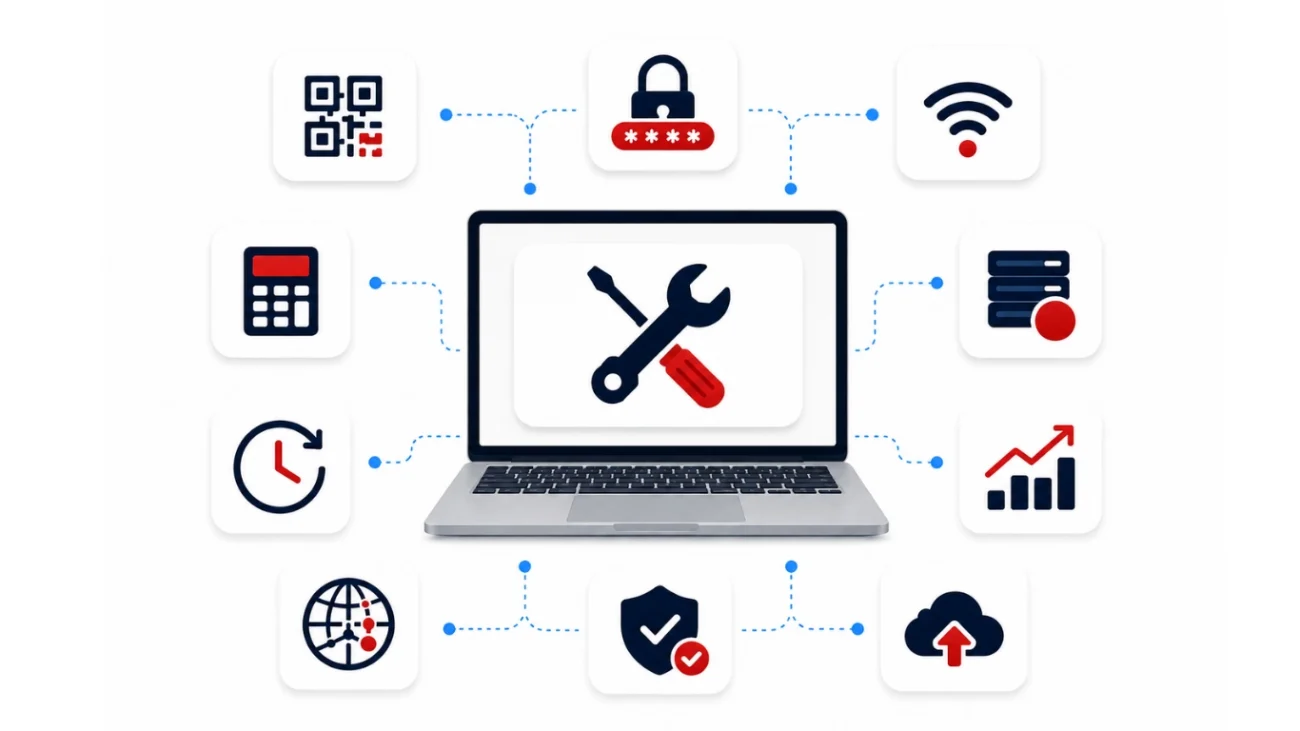
Managing business IT is not just about fixing technical issues. IT teams also need the right tools to improve security, plan resources, manage networks, and make informed decisions. To support businesses and IT professionals, Chipin Corp offers a collection of free online IT tools that simplify everyday tasks. These tools are easy to use and help save time while improving accuracy. 

Security Tools

  • QR Code Generator 
    The QR Code Generator allows you to create QR codes for websites, contact details, business cards, documents, and other business resources. It is a quick way to share information without manually typing URLs or contact details. 
  • Password Generator 
    Strong passwords are essential for protecting business accounts and sensitive data. The Password Generator creates secure and random passwords that help improve account security and reduce the risk of unauthorized access. 
  • WiFi QR Code Generator 
    The WiFi QR Code Generator lets you create a QR code for your wireless network. Employees and visitors can simply scan the code to connect to WiFi without entering the password manually. 

Network Management Tools

  • IP Subnet Calculator 
    The IP Subnet Calculator helps network administrators calculate subnet ranges, IP addresses, and network details. It is useful when planning or expanding office networks. 
  • Network Bandwidth Calculator 
    The Network Bandwidth Calculator helps estimate the bandwidth required for your business. It allows IT teams to plan internet usage and ensure the network can support daily business operations. 

Storage & Backup Tools

  • RAID Calculator 
    The RAID Calculator helps estimate usable storage capacity for different RAID configurations. It makes storage planning easier before deploying servers or storage systems. 
  • HDD Format Size Calculator 
    The HDD Format Size Calculator calculates the actual usable storage available after formatting a hard drive. This helps businesses estimate available disk space more accurately. 
  • Backup Storage Capacity Calculator 
    The Backup Storage Capacity Calculator helps businesses estimate the storage required for backups based on their data size and retention needs, making backup planning more efficient.

Business Planning Tools

  • IT Downtime Calculator 
    The IT Downtime Calculator estimates how much downtime could cost your business. Understanding the financial impact of outages helps organizations prioritize reliable IT support and business continuity. 
  • IT Budget Calculator 
    The IT Budget Calculator helps businesses estimate annual IT expenses, making it easier to plan technology investments and manage IT spending effectively. 
  • Business Continuity Planning Calculator 
    The Business Continuity Planning Calculator helps organizations evaluate their preparedness for unexpected disruptions. It supports better planning to keep essential business operations running during emergencies. 

Compliance Tool

  • IT Compliance Checklist Tool 
    The IT Compliance Checklist Tool helps businesses review important IT security and compliance requirements. It provides a simple way to identify gaps and improve overall compliance readiness. 

Why Choose Chipin Corp?

Choosing the right IT partner is just as important as choosing the right technology. At Chipin Corp, we help businesses across the UAE manage their IT support with reliable helpdesk services and practical technology solutions. Our goal is to resolve issues quickly, reduce downtime, and keep your business running smoothly. 

Our experienced IT professionals provide both remote and onsite support, ensuring that technical issues are handled efficiently. From day-to-day user support and ticket management to network troubleshooting and Microsoft 365 assistance, we offer solutions that meet the needs of businesses of all sizes. 

In addition to our IT Helpdesk services, we also provide a range of free online IT tools that help businesses improve security, plan IT resources, calculate storage requirements, manage networks, and support better decision-making. These tools are designed to simplify everyday IT tasks and improve operational efficiency. 

Whether you need dependable IT support, helpful online tools, or expert guidance, Chipin Corp is committed to delivering practical solutions that help your business stay productive, secure, and prepared for future growth.

Conclusion

Technology issues can happen at any time, but they don't have to slow down your business. A reliable IT helpdesk helps organizations resolve problems faster, improve productivity, and keep daily operations running smoothly. Combined with the right tools and expert support, businesses can reduce downtime and make better technology decisions. 

If you're looking for dependable IT Helpdesk Services in the UAE, Chipin Corp offers professional support along with a range of free IT tools to help businesses manage everyday IT tasks more efficiently. Explore our services and tools to build a smarter, more reliable IT environment. 

Frequently Asked Questions

What is an IT helpdesk?

An IT helpdesk is a centralized support system that helps employees report technical issues, request IT assistance, and track the progress of their support tickets. It ensures that problems are resolved efficiently and in an organized manner. 

An IT helpdesk works by creating a support ticket whenever a user reports an issue. The ticket is assigned to an IT technician, who investigates the problem, provides a solution, and closes the ticket after confirming that the issue has been resolved. 

An IT helpdesk can assist with password resets, email and Microsoft 365 issues, network connectivity problems, software installation, printer errors, hardware troubleshooting, VPN access, and many other day-to-day technical requests. 

Yes. An IT helpdesk is valuable for businesses of all sizes. It helps small businesses reduce downtime, improve productivity, and provide employees with a reliable way to receive technical support whenever they need it. 

Yes. Chipin Corp provides professional IT helpdesk services for businesses across the UAE, along with free online IT tools that help organizations manage security, networking, storage planning, compliance, and IT operations more efficiently. 

An IT helpdesk mainly focuses on resolving day-to-day technical issues such as login problems, software errors, and network connectivity. An IT service desk offers a broader range of IT services, including incident management, service requests, change management, and overall IT service delivery. 

A support ticket is a record of a user’s technical issue or service request. It includes details about the problem, its priority, the assigned technician, and the progress of the resolution. Support tickets help IT teams manage requests efficiently and ensure that no issue is overlooked. 

Yes. Most IT helpdesk teams can resolve many technical issues remotely using secure remote access tools. This allows technicians to troubleshoot computers, install software, configure settings, and fix common problems without visiting the office, resulting in faster issue resolution.Â