It’s here! Today is the worldwide release of Office 2016 for Windows. This marks a milestone in delivering new value for Office 365 subscribers with a focus on collaboration, apps that work for you, a perfect pairing with Windows 10, and security features businesses will love. It also marks a new model for delivery, where subscribers can expect to get more frequent updates with new features and improvements. Along with Office 2016 for Windows, Microsoft today also released Office 2016 for Mac as a one-time purchase option, along with several new and enhanced Office 365 services.
The New Office 365
Collaboration is an important part of getting work done in the workplace, but working together can sometimes feel complex and frustrating. It should be simple and efficient. Microsoft aims to make collaboration easier by bringing together integrated apps and IT services that reduce barriers and help teams communicate, share ideas, manage tasks, and achieve better results while working together more effectively.
Office has long been a trusted tool for helping people complete their best work, from creating professional documents and analysing information to preparing presentations. However, work often involves more than simply creating a final file. Teams may need discussions, meetings, phone calls, feedback, and multiple inputs before reaching the final result. A connected Office experience can help bring these activities together and make collaboration more organised and productive.
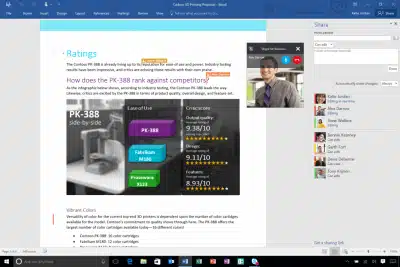
Microsoft has had real-time co-authoring in all of the web apps since 2013 and is now taking it to the next level by building it directly into the native apps. With this release, Microsoft is making co-authoring in Word real-time, which lets you see what others are writing immediately, as it happens.
Skype for Business is now available in the client apps, allowing you to IM, screen share, talk, or video chat right in your docs. This same experience will be coming to Office Online later this fall. Skype for Business also has faster screen sharing and now adds the option to start a real-time co-authoring session from any conversation or meeting.
Keep teams connected with Office 365 Groups, now available as part of Outlook 2016 and in a new Outlook Groups app on iOS, Android, and Windows Phone. Office 365 Groups allows individuals to easily create public or private teams. Each group includes a shared inbox, calendar, cloud storage for group files, and a shared OneNote notebook to keep the team productive.
Office 365 Planner helps teams organize their work, with the ability to create new plans, organize and assign tasks, set due dates, and update status. Planner’s visual dashboards and email notifications help keep everyone informed on the overall progress of their initiative. Planner will be available in preview to Office 365 First Release customers starting next quarter.
Originally unveiled earlier this year, GigJam is today available in private preview and will become part of Office 365 in 2016. GigJam is an unprecedented new way for teams to accomplish tasks and transform business processes by breaking down the barriers between devices, apps, and people.
Works for you
In today’s workplace, we use many different apps, devices, and tools, which can make everyday tasks more complicated and time-consuming. Office is designed to reduce this complexity and help users work more efficiently. With connected features and practical tools, it makes it easier to create, organise, collaborate, and complete tasks while saving valuable time.
Some highlights:
Outlook 2016 provides the smartest inbox yet, delivering lightning-fast search, removing low-priority mail automatically, and making sure everyone on the To: line has the right access to modern, cloud-based attachments from OneDrive.
We also have significant new updates to OneDrive for Business coming later this month across sync, browser, mobile, IT control, and developer experiences. The highlight is the preview of the next generation sync client for Windows and Mac, offering improved reliability and selective sync, as well as increased file size and volume limits.
Tell Me helps you easily and quickly find the right Office feature or command, and Smart Lookup brings insights from the web right into your documents. Previously available only in Office Online, Tell Me and Smart Lookup are now available across the Office 2016 client apps.
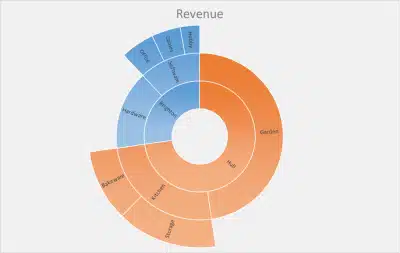
Excel 2016 now includes integrated publishing to Power BI and new modern chart types to help you make the most of your data.
The cloud-powered most-recently-used documents list allows you to pick up right where you left off in seconds because it travels with you across your devices, whether working in Office Online, the mobile apps, or the 2016 client apps.
Perfect with Windows 10
While Office is available across different platforms, Windows continues to provide a strong environment for using Office applications. The combination of Office 365 and Windows 10offers users a connected workspace for creating documents, managing information, collaborating with teams, and completing everyday tasks efficiently. This setup helps businesses and individuals stay productive while using familiar tools and workflows.
With Windows Hello, you can sign in to your PC and Office 365 with a simple look or a touch—no need to type a password anymore.
In the coming months, Cortana will get even smarter and more useful by gathering intelligence on Office 365 through Outlook 2016 support.
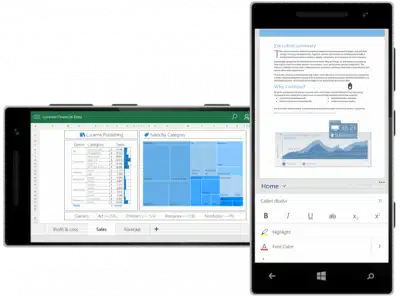
With the Office Mobile apps and Continuum on Windows phones, your phone can act as a desktop, and you can project, create, or edit your presentation or sales budget from your phone to a monitor while using the same phone to take notes with the OneNote app.
Sway on Windows 10 was released in early August, and customers love it! It has received a 4.6/5 app store ranking, with customers calling it “fantastic,” “brilliant,” and “elegant.” People love Sway’s simple and intuitive yet powerful approach to next-generation digital storytelling. With Sway, you provide the content, and Sway creates beautiful, shareable, interactive stories that look great on any screen.
Our Office Mobile apps on Windows 10 (Word, Excel, and PowerPoint) have also received great reception and 4+ app store rankings. Customers say they are touch-friendly, fast, and easy to use—making them wonderful for on-the-go productivity.
For the enterprise
Office 2016 apps with Office 365 provide a secure environment for businesses. Microsoft has added built-in Data Loss Prevention (DLP) to help reduce the risk of sensitive information being shared incorrectly.
DLP gives IT administrators tools to create, manage, and enforce policies for content creation and document sharing. This helps organisations maintain better control over important business information.
Multifactor authentication adds another layer of security by helping protect access to content when employees are working outside the corporate network.
Microsoft also added information rights management to Visio, helping organisations manage access to sensitive diagrams and documents.
In addition, Enterprise Data Protection (EDP) in Windows 10 was designed to provide more secure corporate content sharing across managed applications, networks, and cloud locations. These security features help reduce the risk of sensitive business information being shared outside authorised environments.
Some of our favorite enterprise apps—Visio and Project—have been updated as well. With Visio 2016, customers can get started quickly with diagramming using starter diagrams and contextual tips. Bringing process models, manufacturing plants, or IT architecture to life is now only one step away. With Project 2016, customers can streamline resource engagement processes, manage resource pools through visual heat maps, benefit from multiple timelines, and create custom experiences in Project desktop through write-back capabilities for add-ins.
We are also making deployment easier and have a lot of other new capabilities to help IT professionals, as announced in our blog to IT admins two weeks ago.
Office 2016 for Mac
In July, we released Office 2016 for Mac to our Office 365 customers. The new versions of Word, Excel, PowerPoint, Outlook, and OneNote are a significant step forward and provide the best of both worlds for Mac users—a familiar Office experience paired with the best of the Mac platform. The level of engagement and excitement about this Office for Mac release has surpassed our expectations. As promised in July, today Office 2016 for Mac will also be available as a one-time purchase.
Ongoing Office 365 customer value
Whew—that was a lot! With this release, we’re also changing how Office on Windows receives updates, bringing it closer to the monthly release cycle used by Office mobile and web apps. Going forward, Office 365 customers will receive new features, improvements, and capabilities regularly as part of their subscription. This approach will help users stay updated with the latest tools and enjoy a more modern and productive Office experience. It’s a new day for Office desktop apps, with continuous improvements designed to make everyday work easier and more efficient.
And as a bit of a teaser, here are some examples of the types of new features and benefits Office 365 customers will see:
Built for teamwork—We’re committed to rich co-authoring and collaboration across our native clients, starting in Word 2016, with other big advances in collaboration coming throughout the year. By the end of 2015, we’ll introduce Office 365 Groups insights and discovery in Office Delve. In addition, we will have a new generation of personal work analytics in Office Delve that will help individuals, teams, and organizations to be more effective at work by understanding their reach and impact, time allocation, and network.
Works for you—For those of you who are excited about our new charts and forecasting, we will be delivering even more new charts, formulas, connectors, and other Excel capabilities throughout the year. (If you’re interested in telling us which charts and charting features you’d like to see first, we have a survey going on our Excel Facebook page right now!). We also have some very exciting developments in the pipeline for PowerPoint that will make it easier to design and deliver presentations to wow and engage your audience.
Perfect on Windows 10—We are especially excited about how even more valuable your personal assistant Cortana can be when she has insights from Office. This will start to allow Cortana to unlock helpful scenarios, like retrieving your documents, preparing for meetings, and more.
Get started
We want to thank all our Preview customers who have been with us since February, testing the new apps, sharing feedback, and helping us shape the final product. Your suggestions, ideas, and experiences have been valuable in improving Office. We truly appreciate your support and contribution, which have helped us create a better, more useful, and reliable Office experience for everyone. As we continue improving the new Office experience, our focus remains on making everyday work easier, faster, and more productive. We appreciate everyone who tested new features, shared suggestions, and reported issues. Your continued feedback helps us understand user needs and improve Office for businesses, teams, and individuals. We look forward to delivering more useful features and improvements.
Get a Free IT Consultation
Your goals. Our expertise. Perfect solutions.
Cybersecurity & EDR Solutions
Cloud & Microsoft 365 Migration
IT AMC & Managed Support
Office IT Setup & Relocation
17+
Years in Dubai
999+
Clients Served
4.9
Google Rating
SPEAK WITH AN EXPERT
Fill in your details
Your information is secure. We reply within 2 hours.